• Skip to main content
  • Skip to primary sidebar

Lauren McCullough

Female Voiceover Talent

717-281-1991‬

LaurenMcCulloughVO@gmail.com

  • Home
  • About
  • Demos
    • Audiobooks
    • Book Trailers
    • Commercial
    • Corporate Narration
    • eLearning
    • Explainer
    • Medical Narration
    • Phone/On-Hold/IVR
    • Radio
    • Videogames
    • Web Video
    • Whiteboard
  • Clients
  • Contact

voice talent

How to Find a good Voiceover Coach

Voiceover Industry

If you had a dollar for every Facebook post in a voiceover group about a coach, you’d be a millionaire before the week was out. From every possible angle, the questions come in a flood: how to find a coach, who’s the right coach, do I need a coach? And much more. Finding the perfect person to guide you into better performances is a challenging task! (Though here’s a tip if you’re in one of those groups, use the search bar first! You’ll make a better impression than if you ask the same question a thousand-literal-other people have.) This guide will help you find the right questions to ask, who and what to listen to, and some red flags to look for. 

Why you need a coach

Voiceover is a very specialized craft. There are many nuances that are different from any other kind of acting. If you’re an actor, think about it like this. Consider the possible tools you can use to convey your message. With on camera acting, you have voice, gesture, face, and movement all to convey your message. With voiceover, you have just one. Your voice. Some of your skills will still crossover, of course. But the emphasis is very different. You’re going to have to exercise “muscles” you haven’t used before. 

If you don’t come from a performance  based background, you’re starting from scratch. While you’re looking for a coach, practice reading aloud. It’s a great first step that will help you get yourself used to speaking at length, and maintaining tone and flow throughout the reading. You probably have great skills for some other part of your voiceover business, but you need training to get “fit” for this type of work. A coach will help you polish your product-your voice-to the best it can possibly be. 

Define your Goals

When the list of coaches is overwhelming, a great place to start is by narrowing your list. Ask yourself questions! What genre of voiceover do you want to pursue? Do you prefer to learn in person, or online? What kind of personality are you looking for? Meet with several coaches to get a feel for the options available. All are different. Need a demo? Better get listening to what your prospects have created. This will give you a feel for industry standards, and an idea who creates a sound you want to represent you. 

Group vs. Solo 

Depending on your personality, either group or solo coaching could seem scarier, but there’s more than meets the eye when it comes to coaching choices. One of the benefits of group coaching is learning from others and building a network, while solo coaching can help your deep dive into your performance. Don’t forget the previous section and make sure that you define what you’re looking for and what they’re offering. If you’re just looking for a general skills polish, a group session may set you straight. If you’re having a harder time booking, or you want to explore a new genre of the business, you’ll probably want to pursue one on one coaching. 

Vet your experts

Unfortunately, Voiceover, like many other industries has its charlatans and its short changers in business. In the digital age, it’s easy to make yourself look and sound very professional without the resources to back it up. Marc Preston has some great ideas of things to check into. Some of these ideas include–check that your prospective coach is actively working and displaying their work. Ask for references for their successful students. A reputable coach should have no problem finding people willing to speak about them to you. Listen carefully to what they promise. People who promise immediate high income and perfection in a short amount of time are waving a big red flag. Building a business takes time, money, and plenty of hard work.

Create a network
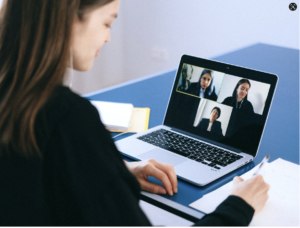
Although you’re the ultimate decider on who to go with, friends and colleagues can be a great resource. Using online and when available, in person groups and meetups, can provide a unique perspective on coaches. Your fellow talent will have some of the in person nuances that a coach brings to the table that you might have trouble finding anywhere else. If you find a local group, this can be a specifically valuable outlet on nearby coaches. In medium to small market towns, local coaches can be kind of tricky. I know many voicetalent that have created their own online workout groups from people they have met at events and they also become excellent resources for finding coaches.

Don’t put the brakes on because of price

Money is a challenge for a great many people these days. It’s understandable that you’d want to save your pennies for a career that requires some financial outlay before you can make money. But when it comes to coaching, as Kate McClanaghan says for Backstage, the cheapest option isn’t always the best option. Comparing prices is both needed and good, but make sure you don’t pick the cheapest just because it is. Quality is a far better bar to aim for. It might sound counterintuitive, because in many industries you can start out with low cost things and replace as you improve. But with voiceover, the sound you produce IS your product along with your voice. Poor sound will lead to your name being associated with that, and producers do talk!

Don’t be afraid to make a change
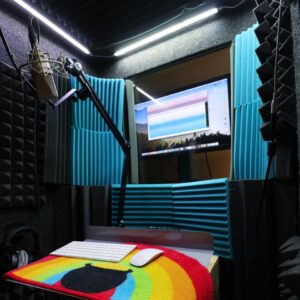
If you’ve gone to 3-4 sessions with a specific coach and you don’t feel quite right about it, stop. Take a little time and evaluate. There’s some great questions to ask yourself here. Some of the list is, are they exposing you to the work of other experts? What do they talk about more, you, or their own experiences? Do they want you to stay current, or are they more interested in how things used to be? Do they make sure you’re having fun and encourage you? Unless you’re seeking coaching for a specific element, do they stress the fact that there’s much more to learn than just what they’re teaching you? (For example, recording, recording space creation, editing, marketing, all the business aspects and so on.) If someone’s not working out for you, don’t be afraid of moving on. 

Whether you’re a raw newbie diving in, or a pro who needs to add some polish, coaching is always a useful tool. Finding the right person for you can be challenging. Take your time, listen to others and do plenty of research, and before you know it you’ll be sitting with someone just perfect for you. Whether you go through a few or many coaches in your voiceover career, some extra attention, time, and care will help you make the best decision possible. 

Halloween Voices: From Evil Prince to Pumpkin King

History of Voiceover

If you’ve ever watched the classic movie The Princess Bride, you can’t forget the villainous Prince Humperdinck. He slimes his way through the movie, providing the perfect haughty foil to the heroes, and gets his just desserts in the most appropriate manner. He’s an excellent example of the kind of villain people love to hate.

The Man Behind the Sneer

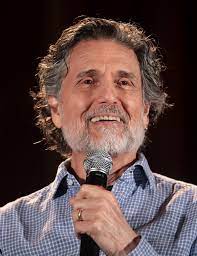
Chris Sarandon was born in Berkley, West Virginia. He was the  son of Greek restaurateur parents. Chris Sarandon and Cliffie. He jumped into performing in high school, playing in a band called the Teen Tones. His band toured after high school and backed up various acts like Bobby Darin, Gene Vincent and Danny and the Juniors. College landed Chris at West Virginia University where he got a degree in speech, graduating magna cum laude. He continued to perform, appearing in productions like Music Man as Harold Hill. Chris took his education to a further level, deciding to pursue a masters at Catholic University of America in Washington D.C.. There he majored in theatre, and met his first wife Susan Sarandon. He scored his professional debut in The Rose Tattoo in 1965. Chris and Sarah were then married in 1967. Chris did some regional theatre and worked with some improv troupes before the couple moved to New York in 1968. 

Bright Lights and Creepy Characters

New York brought Chris a television debut on the long running series, the Guiding Light. He played Dr. Tom Halverson in 1973-1974. During the remainder of the 1970’s, Chris was astonishingly busy, both making movies and appearing in plays. Shakespeare and Shaw festivals took him all over the US and Canada. As for the silver screen, Chris debuted in Dog Day Afternoon in 1975 alongside Al Pacino, a thriller Lipstick in 1976, then a demon in The Sentinel in 1977. He expanded his range with the role of Christ in The Day Christ died, a TV movie, and two very different characters in A Tale of Two Cities. By the end of the decade, he and Susan had divorced and he remarried model Lisa Ann Cooper. 
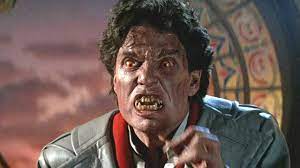
The 1980’s and A Different Kind of Prince

The new decade brought Chris more movie roles, opposite Goldie Hawn in Protocol, 1984, and a vampire next door in Fright Night 1985. Chris added another TV movie, Liberty, to his credit in 1986, which covered the development of the Statue of Liberty. His best known movie role was his next one, 1987’s The Princess Bride’s Prince Humperdinck. Chris didn’t stop there, adding on another classic horror film, playing an investigating cop in the original Chucky movie in 1988. The decade also brought Chris 3 children with Lisa, Stephanie, Alexis, and Michael. 

The 1990s and Pumpkin King

As time passed into the 1990’s, Chris also divorced again, marrying his current wife, actress and director Joanna Gleason. She is best known for her role as the Baker’s Wife in the musical Into the Woods. She is also the daughter of Monty Hall, of Let’s Make a Deal fame. The two met on the set of the musical Nick and Nora, 1991. 1993 brought Chris his biggest role, Jack Skellington in the surprise hit, The Nightmare Before Christmas. 

Director Tim Burton was working for Disney as an animator when he first developed the poem that became the genesis for the film. He drew inspiration from the old holiday specials like How The Grinch Stole Christmas, and Rudolph the Red Nosed Reindeer, as well as the poem, A Visit from St. Nicholas. Burton’s first idea was to create a 30-minute television special, with the narration spoken by the unforgettable Vincent Prince.
He also considered a children’s book as a possible project. Burton began to create storyboards and concept art to flesh out his story and he and other animators at the Disney created character models for their budding idea. When the men pitched it to Disney, they considered the idea, then rejected it as being ‘too quirky’. Burton was subsequently fired, and went on to direct Beetlejuice and Batman for Warner Brothers. Burton discovered in 1990 that Disney still owned the rights for the film. Disney has a clause in its contract that any art or concepts created by their animators belong to the company during the time they are working for the Monolithic Mouse. 

After his commercial successes, Disney was willing to make a feature film with Burton out of the project. Disney chose to release it via Touchstone Pictures at first, believing it was ‘too creepy’ for their mainline children’s audience. Danny Elfman wrote the songs for the movie, and was cast as Jack’s singing voice. Chris was brought in to match his tone in a speaking voice. They considered having Chris sing as well, but he was unable to fit in singing lessons before the production began. 

Chris reprised his role in the Kingdom Hearts videogames, the Disney Infinity video game and a Capcom movie sequel called Oogie’s Revenge. He also was featured in several special Halloween themed events at Disney World itself.

And He Just Keeps Going!

The rest of the 1990’s brought Chris and Joanna some opportunities to appear together, both onstage and in the movies. They appeared in Eddie &Pen in 1996,  American Perfekt in 1997, the stage production Thorn and Bloom in 1998, and the movie Let the Devil Wear Black in 1999. He has continued to grace stage, screen, and movies, with a blizzard of appearances into the new millennium, including roles onstage in The Light in the Piazza, Cyrano de Bergerac, Through a Glass Darkly and The Exonerated.

In the 2015 production of “Preludes,” he played multiple roles that included Chekhov, Tchaikovsky and Tolstoy. He has also appeared in various films with featured parts in Perfume 2001, Loggerheads 2005, My Sassy Girl 2008, a cameo as a vampire victim in a remake of Fright Night 2011, Safe 2012 and Frank the Bastard 2013, Big Stone Gap 2014 and I Smile Back 2015.

Numerous TV show appearances including: ER, Charmed, Cold Case, Judging Amy, Law and Order, The Good Wife, Orange Is the New Black and as the voice of Dracula in Teenage Mutant Ninja Turtles. He has also done voice work for The Wild Thornberry’s, appearing as Myka the penguin, Adventures from the Book of Virtues as Jim Dellignham Young, and The Chosen one as Zebulon ‘Zeb’ Kirk. In his many decades of performance, there has rarely been a year where Chris was not working, and most of the time in more than a single production at a time. 

Chris has said about acting, “Being on stage is a seductive lifestyle. My advice to aspiring actors is think twice. People sometimes go into acting for the wrong reasons – as a shortcut to fame and fortune. If these goals are not attained, they feel a bitter disappointment. Acting should be an end in itself.” and “As an actor, we are, in a way, a mirror of other people.”

When to outsource editing as a VO

Business, Voiceover Industry

So the first thing I need to recommend about when to outsource your editing is a mindset change. It’s understandable that when beginning a voiceover business, money can be at a premium. Between classes, equipment, coaching, and marketing, there’s a hefty dollar cost before the money comes flowing in. Any additional expenses can feel dangerous or maybe unneeded. Jobs you get at first may not have ideal rates or client relationships. In fact, there is some benefit early on in your career as a voice actor to editing your own work because it’s a crash course in audio production.

However, at some point, there’s an important fact about what you’re doing that you need to think of. Business takes investment. In order to grow, you need to put money back into your business, and one of the best ways to do that is concentrate the most on what you do the best.

Talk. Your voice is one thing in your business that only you can do. Your voice is the centerpiece of your ability to make money in general. And the more you focus on what you do best, the more of it you can do. Obviously there are limitations with needing breaks to rest your voice, but outsourcing your editing also gives you more time for marketing, invoicing, or any of the other business elements you may need to catch up on. 

As an added bonus, you’ll also have more time for family or personal needs, which is easy to lose in the entrepreneurial mindset. So although it can seem like an unnecessary expense to hire an outside editor or proofer, it’s a worthwhile investment to help make your business more effective and sustainable for you. And cost isn’t the only mindset worry that you need to change–some people enjoy the process of editing and figure that why shouldn’t they just take care of it themselves? As an established talent, this can also hold you back because like it or not, you could have a better or more efficient use of your time. Give yourself the ability to have a greater flexibility in your day. It might be a scary jump to make, but it is worth it to make your business run like a business. You don’t have to-and shouldn’t-wear all the hats yourself.

Here are a few things to consider that will help you decide whether it’s time to outsource your audio. It’s important to make sure that not only are you ready, but that you’re ready to put forward effort on your part to make sure that hiring out not only is but stays effective as a business choice. 

  1. Length of audio. Are you working on shorter or longer audio in general? With shorter pieces (like less than 10 minutes) you may have a better ROI by doing the editing yourself, if you’ve got enough experience to make it work smoothly. It’s not that you can’t outsource shorter work, but by the time you send it out and wait for the audio to come back, you could have probably just had it done yourself. Many people do a good variety of work, and some much longer than that, but your auditions and short pieces are probably worth it to take care of in house. ***Though if you are in the position to hire an in-person assistant, audio editing for short narrations is a great task for them to handle. See number 5 & 6 on this list
  2. Finances ROI/income. I would never advise someone to take bread out of their families’ mouths, but it’s important to think about as you build your business that for some time after you start you may need either savings or a second income to help cover start up costs. Long term, editing will emphatically pay for itself, especially with longer work. Not only does it involve cost savings to focus on what you do best, it also offers benefits in terms of workflow smoothness, and the psychological benefit of having one less thing to worry about. But in the beginning when you’re still paying out more than you bring in, outsourcing may not be a good fit. When you are the sole person responsible for your business it’s easy to fall into an individual mindset, but shifting to a collabrative/team mindset can open up a lot of freedom for you. Lots of people come into voiceover from creative industries, where that kind of thought can be hard to set down for yourself. But it’s a necessary part of being successful, and sustainable. 
  3. Expectations. You should know what you’re looking for in an editor. What kind of turn around do you want? Keep in mind that what you do in your own life is not necessarily how someone else is going to think or operate. It helps to think carefully about your needs, and write them all out so that you can speak clearly about them and make sure that you get what you’re looking for. But also, particularly, if you have an acting or non-techie mindset, it can be a good thing to be willing to listen if your editor has experience that can help you learn what is reasonable from their end of the business. A good editor will be a strong support and aid in your work. 
  4. Friends in the business. One of the best ways to find a good editor is through word of mouth. Experienced talent often have an editor or two as a go to person, especially in the audiobook world. Sometimes end clients do the editing on their own, but even in such cases, talents will often hire a proofer to help make sure their narration is as polished as possible before they turn it in. And when you have a variety of clients, having an editor will help you be ready no matter what end client you’re working with. (Or whether or not they need editing.) 
  5. In person or at a distance. Another good question to ask yourself is whether you’d want to be physically near someone who is working for you. Some people would rather be able to see and talk to their employees face to face, and some don’t mind if the communication is all online. It’s a good idea to figure this out before you start looking so that you don’t end up in a situation you’re uncomfortable with. 
  6. Training. If you’re an experienced talent who knows the ins and outs of audio, sometimes you can get a little bit of a bargain by training someone-a friend, relative, child, or intern-and work with them. That can have upsides and downsides though, since the person doesn’t have your years of experience and getting good with audio takes a lot of time. Hiring a freelance pro means working with someone who already has the experience and knowledge you need-although you should make sure that they have recommendations or experience like you would with any contractor. 

At the end of the day, handing off your long form narration editing can free you up to tackle things in your business that otherwise would be pushed to the wayside. It can be scary to give up control, but prioritizing the things that need your direct attention is an important step in growing, and thriving in your business. Investing in a reliable, skilled editor can do wonders for your career if you give it a chance.

10 Things Every Home Studio Needs

Gear

Lately, so many people are setting up home offices and learning the joys and challenges of working and living in the same space.

Some of us have been walking that line for a long time and have a few insights we can share. As a voice over actor, I’ve been working in my home studio for over a decade. In fact, it’s where my career has blossomed. It can be so easy to feel either constrained by your home space or feel overwhelmed by all the gadgets promising to make your home studio work even better for you. 

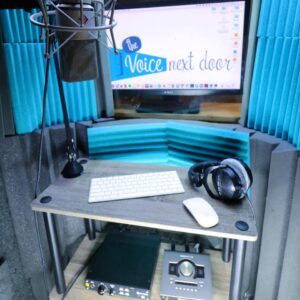
Here’s a list I’ve put together of a few of the must haves to make your home studio really work for you. Even if you aren’t a voice talent, like I am, some of these tools are probably going to help you, as we are all on audio and video calls constantly. If nothing else, this will be a fun excursion into the studio life of a voice actor. 

  • Microphone

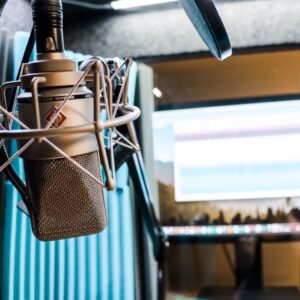
Excuse the obvious, but it’s the best place to start. Yes, you’re going to need a mic. No, the one on your computer is not enough. It’s designed to grab sound in a rather broad manner and you need something focused that can help you capture the quality and direction you really need. 

That doesn’t mean you need the most expensive one on the market, though. I use a Neumann TLM 103, but started out using a Blue Baby Bottle. Here’s a great round up from Voiceover Herald if you really want to get geeky about it, as well as some budget options.

  • Interface

Alright, here’s where things start getting fun, if you love audio recording. An interface is an external unit that connects your microphone and your computer. But can’t you just plug your microphone into the computer? Maybe, but then you have no control over the quality of the sound going from the microphone to the computer. An interface gives you that control. I currently use the Universal Audio Apollo Twin X DUO. You can start by looking for one that has the basic features, which leads to our next point. 

  • Preamp

Preamps are often built into an interface, so as you’re starting out, look for that. Preamps do just as their name implies, they “amp” or amplify the sound before it is recorded into the computer. Of course, it’s more complicated than that, but that helps you understand the importance. When you are recording commercials and other voice over projects, you don’t want any muffled or mumbled sound. You want it crisp and clear. A preamp helps to ensure that you are starting with the best quality sound. 

  • Mixer

Another element with all of this external gear to consider is a mixer. You’ve always wanted to be your own DJ right? It may not be quite as rocking as all that, but a mixer is definitely something you’re going to think about for your home studio list. A mixer essentially gives you control over multiple sound inputs at a time. This may not seem necessary upfront and your software, which we will talk about below, may be able to help you overcome this need, but whether it’s built into your interface, a digital mixer, or a physical mixer, it’s important to have control over your audio levels from yourself and different people and sources simultaneously. 

  • DAW

DAW or Digital Audio Workstation is where you can have some fun. This is the software and applications you can use to edit and manipulate your sound recordings, and there are a lot of great DAW options out there. Everything from simple splicing and cutting down to a certain length to more complicated removal of background noises and “touching” up, DAW allows voice over talents to deliver the quality of content our clients need for their projects. You can think of it as photoshop for your audio recordings. And once you dive in, you’ll see how powerful it can be. You may even find uses for it outside of voice recording. My favorites are Twisted Wave for the Mac folx out there who just need a simple setup. But for those looking for a little more punch check out Audacity or if you’re interested in only doing Audiobooks, Reaper is a great, affordable option.

  • Headphones

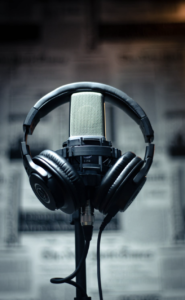
Just as you need to ensure that you are using the right equipment to put great audio content in, you need to have the right equipment to ensure that you can properly hear the content. It’s going to be impossible to know for sure that your recording is clean and crisp without a great pair of headphones. They should fit well because during live sessions you’ll want to feel comfortable, and cancel out external noises so you don’t have any bleed from playback and talkback (especially on those at home Zoom sessions). I love using Beyerdynamic DT 770 PRO 250 headphones in my own home studio. 

  • Monitors

If you’re new to all this, you may be thinking of a computer monitor. That’s a given. You definitely need that to record and use your DAW, but in this case, we are talking about home studio monitors. Most people would probably call these external speakers. They function the same way, but their role is to give you the most natural rendition of your recording while you’re editing files. While the headphones give you that detail and accuracy, monitors help you hear the recording in a more natural sense so you know what your client is going to hear.  I like this set, from Yamaha. 

  • Sound Proofing

Sound proofing is a critical element for a home studio. Now that we are all on Zoom all the time, you know exactly what I’m talking about. Everyone’s families, the pets, the jack hammer outside, the planes overhead, it all gets picked up on audio recording equipment. And when this is your job, it’s critical that you can deliver clean audio in an efficient manner. Yes, there’s software to help eliminate any issues, but the best way to go is to just avoid outside noise all together. 

For me, the best sound proofing is Aurolex and panels from ATS Acoustics which can be used in a closet or a booth. But there are lots of ways to go about it. Here is a deeper dive into the topic. 

  • Internet / Phone / ISDN

These modern technologies connect our home studios to clients anywhere in the world. Of course, a telephone and internet connection are critical for doing business these days. They allow for instant communication and sharing files and recordings. 

ISDN, or integrated services digital network, takes these to the next level, giving voice over artists an opportunity to record live with clients. Using this kind of technology, or another alternative, can save clients a lot of time going back and forth and lets voice over artists deliver data more efficiently. ipDTL and Source Connect have also become standards in the industry as an alternative to ISDN. Since the pandemic started clients are also open to using virtual conferencing platforms like Zoom which is also worth an investment.

  • Mic Accessories

What else does a home studio need? There are many accessories for your microphone that can make recording easier and cleaner. Everything from a mic stand to various sound filters, you can go crazy with the accessories. My go to mic accessories are a good pop filter and mic arm stand that can attach to the wall of your booth or a desk. (and if you feel fancy check out the Yellowtec M!ka mounting system.)

Are you setting up a home studio? Or are you just curious what voice over talents fill their space with? Either way, I hope you find this list useful.

Want to learn more about the life of a voice over artist? Check out my YouTube channel.

Why Your Family Practice Needs Videos

Business, Marketing

Should your family practice office use videos to get the word out? Absolutely! There are so many great reasons to use video in your digital marketing strategy. Video is a dynamic way to connect with your patients and the community that may become patients. It can bring a face and voice to your office marketing strategy and help you engage with your patients. 

It’s also a powerful method for developing an environment of peace and serenity, instilling confidence throughout your office. Combined, both online and in the office, your family practice videos can add personality and a unique perspective to your brand.

Online Marketing For Your Family Practice

But first, let’s talk about why online video marketing is a great option for your physician’s office. There are endless statistics about why anyone should be using video in their online marketing strategy. For instance, according to this Forbes article, more than 250 million hours of video are watched on YouTube per day and a person spends 88% longer on a website that has a video embedded in it.

For me though, it’s more than the numbers and the algorithms. Video brings an authenticity to your family practice brand and allows you to connect with viewers in a very real, natural way. This is huge for a family practice office, because patients want to know they can trust their doctor. A recent study out of the Netherlands examined the contagious nature of emotions in YouTube channel creators and their viewers. Viewers can tune in for the content and be emotionally impacted at the same.

Imagine being able to really communicate your bedside manner, before you even meet a patient. Imagine easing anxieties and supporting positive emotions around a visit to a doctor’s office, even before a patient makes an appointment or steps into your office.

What Kind Of Content Should Your Family Practice Create

The content you create really depends on your particular family practice office and the patients you serve. What are their concerns? And what information do you wish they knew or understood better?

  • Informational Videos

You know all those brochures you have sitting around the office. The ones you hope your patients will pick up and learn from. Or the ones you hand them at the end of the visit. Those are a great place to start with informational videos. Share with your viewers the latest research and any precautions they need to be taking. This is also a good way to address seasonal or headline making diseases that are probably already on your patients’ minds.

  • Introductory Videos

Tell us more about you and your staff. Talk about your credentials, as well as a few personal details that make you more relatable. Where did you go to school? What kind of dog do you have? What are your hobbies? You can make a long video speaking with everyone in the office – or short videos with each staff member. You can use these on their bio pages on the website as well as social media.  

Walk around the office and show new patients what they can expect in your space. What does the waiting room look like? Who should they talk with first when they arrive? And what do the exam rooms look like? These are great for any new patient, but also for children who want to have a mental image of what to expect. These videos can reside on your home page or be linked from social media. 

  • What’s New

Did you just install some new equipment? Is your office undergoing a renovation? Are you doing something new or different? That’s a perfect time to grab a camera and walk around. Keep your patients engaged with what’s happening at your family practice. This is especially useful if your patients normally only come in once a year or so. Engaging with them year round keeps you front of mind. 

In-Office Videos

Let’s switch gears and talk about another powerful way that your family practice can use video. Videos throughout your family practice office can add to the environment of calm that you have tried to create. It’s more than just about grabbing some magazines in the waiting room or turning the TV on to a certain channel. Creating in-office videos for your patients is an intentional move to help them have a more fundamentally relaxing experience in your office and to create more positive associations with visiting you. This may help them trust you and visit you more often when they need to, but also to share their experience with their friends and colleagues. 

Relaxing With Video

People already flock to YouTube for what is often called ASMR (autonomous sensory meridian response) videos. They are looking to these mindful, relaxing videos for their physical and mental sensations. Others enjoy hours of just every day people talking about books or others interests. The research, and anecdotal evidence, is already out there that people relax with videos. So now’s the perfect time to bring that same experience into your family practice office.

Creating An Environment Of Calm In Your Family Practice Office

As you are thinking about creating an entire environment that is peaceful and welcoming to your patients, be intentional about where you can place tv or monitors to play videos that will help your patients relax. 
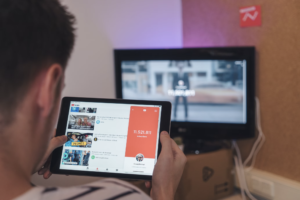
The first place to start is the waiting room. Here you can distract your patients from their concerns and the waiting with uplifting and comforting videos. Don’t forget the exam rooms. Depending on the type of healthcare you provide, you may want a monitor on the wall or a tablet that patients can hold to watch during their appointment. You don’t want the videos to detract from your face-to-face interaction and conversation, but if your patients have to undergo treatments, a relaxing video may ease the process. 

Here are a couple great resources about how music and nature can be therapeutic video design components. 

Types of In-Office Videos

  • Plug and Play

If you aren’t sure where to get started or just need to get going quickly, there are many plug and play options that allow you to just purchase videos or streaming and get started. C.A.R.E. Programming comes on a micro media player that you can just plug into your tv monitor through HDMI. UScenes offers streaming or USB options. 

  • Custom Created

Another option is to work with a video production company, or enlist your own talents, to create your own videos and stream them into your waiting room. The downside of this is that you will want to be sure that your videos are high quality and relaxing in tone. However, there are a number of positives. For instance, you can control what is being shown and can update it to address seasonal or other concerns. You can also use it as a way of building your brand recognition and making your staff more visible. 

Where A Voice Over Talent Can Come In

Whether you are creating videos for online marketing, to get the word out, or are desiring in-office videos to improve the experience of your patients, a voice over actress could help you create those videos professionally. Find a voice talent who is known for a relaxing or relatable voice and pair that with pictures or videos. As we’ve seen with the popularity of apps like CALM, guided meditations are a wonderful way to put you patients at ease. You can tell stories or educate your patients. Either way, both they and your family practice office will be better off for it. 

What is audio description?

Voiceover Industry

This not-new-but-growing field is a great one for folks who want to do some good with their voice practice. 

The federal government defines audio description like this: 

“Audio Description. Narration added to the soundtrack to describe important visual details that cannot be understood from the main soundtrack alone. Audio description is a means to inform individuals who are blind or who have low vision about visual content essential for comprehension. Audio description of video provides information about actions, characters, scene changes, on-screen text, and other visual content. Audio description supplements the regular audio track of a program. Audio description is usually added during existing pauses in dialogue. Audio description is also called “video description” and “descriptive narration”.” 

Different from Subtitles

This differs from other types of adaptive services like subtitles, since you need an earpiece or other sort of headset to hear the descriptions that let you know what’s going on. 

There is more than one type of audio description, that which is pre-recorded and synched with the audio of the movie and fit into dialogue pauses, and the kinds that go along with live performances and are voiced as the performance goes on. 

  • For pre recorded media, there is one other type of description, called extended description. This is used with media that does not have frequent pauses, or has heavy visual elements that need a great deal of explanation. With this option, you can pause the action in the movie or show to play out the entire description before going on. Libraries will also sometimes have DVDs with recorded descriptions added to borrow. 
  • Other genres of audio description can be found in self guided museum tours or other visual art exhibits. Non-visually impaired people may enjoy this service also due to alternative processing needs when watching a movie, or other disabilities. 
  • Persons on the autism spectrum can use audio description to help understand interpersonal or emotional cues with the pairing of visual and auditory description. This helps them understand challenging areas with increased clarity. 
  • Children developing language can also benefit, since it improves their association with words and visual objects or events onscreen. 

Audio for Visually Impaired

Creating additional audio for blind people has an interesting history. 

There are a few early incidents of movie theaters doing special showings for blind people with live description as part of the program, but this was few and far between as technology continued to advance. Early media formats hindered the development of the service, since analog signals could only transmit one audio channel at a time. The American Council of the Blind includes some history of audio description, sharing “Credit for the “invention” of audio description in 1981 generally goes to the late Dr. Margaret Pfanstiehl and her late husband Cody, although in independent efforts a man named Chet Avery proposed the concept in the late 60s, and Gregory Frazier worked on the idea on the 1970s. 

In 1990, the National Academy of Television Arts and Sciences awarded Margaret an Emmy for her “leadership and persistence in the development of television for the visually impaired.”  In 2009, Margaret received the Excellence in Accessibility Leadership Award at the LEAD Conference at the Kennedy Center for her lifetime commitment and enduring advocacy on behalf of audio description and other forms of information access for the visually impaired community.  Over the years, the Pfanstiehls personally trained hundreds of audio describers around the world.  Since then, many of those trained describers have gone on to train other audio describers.

Accessibility

Disability advocacy has increased the type of assistive services available across the US, with many media producers making more efforts to include disabled folks in their creation but we still have a long way to go. 

The government has moved back and forth on whether or not television stations have been required to provide audio description services. In 2002, it was ruled that the FCC did not have the authority to require stations to provide audio description. Then, in 2010, it was ruled again that the descriptions were within the FCC’s authority to require. Unfortunately, the FCC’s requirements for major stations to provide audio description does not cover all stations and all programming, so you may not be able to utilize this service for certain programming.

Increased Popularity

Over the decades, audio description has become more and more popular as visually impaired people want to consume more television, but in the past they had to rely on friends or family members for description duties. In 1985, WGBH in Boston started providing audio description services for PBS programming due to this. After running tests and reviewing studies, they created an organization called Descriptive Video Services to match up with PBS programming. 

As time passed, DVS programming has continued to expand, going beyond PBS services. Not all stations offer it, as the FCC’s requirements only apply to the major network stations and not to smaller stations or syndicated programming. Many stations choose to run a Spanish dubbing track rather than one for the visually impaired. Some of the streaming services are moving forward with offering audio description, but none of them do as of early 2021. There are now also many other companies, both for and non-profit that provide this service to interested media creators. 

Opportunities for Voiceover Beginners and Seasoned Pros

Audio description is a great way for beginning voice talent to offer their services on a volunteer basis with non-profit companies while you learn your craft. 

Veteran talent can also pursue paid projects through companies like Netflix that are utilizing audio description to make their content more accessible to a their audience.

There are a great many companies that provide this kind of services for media creators. Anyone interested can look on this page at the American Council of the Blind with Training or Education resources. There is also a great deal of information on organizations that offer audio description services, and you can look on this page to find out more information. Some of them will offer training or testing programs to get started. This is a type of service that will never run out of need, since not only are there constantly new shows and movies to describe, there are also oceans of older media that needs a run down. Once you are familiar with the voicing process for this type of work, you can also get your name on the list of voiceover rosters that have experience in that area on the ACB’s website.

  • « Go to Previous Page
  • Page 1
  • Page 2
  • Page 3
  • Go to Next Page »

Primary Sidebar

LISTEN


https://www.laurenmccullough.com/wp-content/uploads/2020/03/Lauren-McCullough-Commercial-Demo.mp3


Corporate
https://www.laurenmccullough.com/wp-content/uploads/2020/03/Lauren-McCullough-Corporate.mp3


eLearning
https://www.laurenmccullough.com/wp-content/uploads/2020/03/Lauren-McCullough-eLearning.mp3

SUBSCRIBE!

Click here to sign up for
a low-volume newsletter

Recent Posts

  • Tips to write a storytelling ad
  • Why Voiceover Communities Matter
  • Tips For Creating The Best On-Hold Messages
  • Does Professional Voiceover Help Sell Products?
  • 9 Ways to Keep Moving when You Work from Home

Categories

Archives

Follow LAUREN!

©2026 Lauren McCullough // Voice Over Site by Voice Actor Websites